
Use Global Sales Tax Calculator – Add or Remove Tax in Any Country 2026
Sales Tax
Calculate exact totals based on global tax rates.
If the rate is incorrect or you need a specific rate, enter it below.
Sales Tax Calculator: Add or Remove Tax in Any Country
Have you ever seen a price tag and then paid more at the counter? That extra money is tax. Sometimes you have the opposite problem. Maybe all you have is the amount you paid, and you need to know what the item cost before tax was added. Doing this math in your head is slow, and it is easy to make a mistake.
Our free sales tax calculator solves both problems in a second. Pick a country, enter an amount, and the answer appears right away: how much of it is tax and what the full amount comes to. It covers most of the countries, and you do not need to sign up.
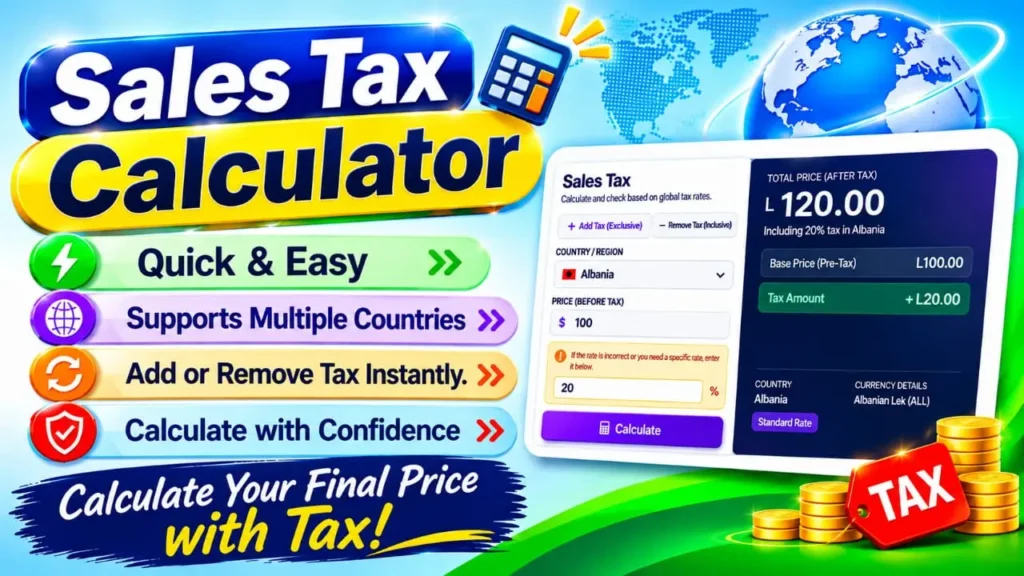
What Is a Sales Tax Calculator?
A sales tax calculator is an online tool that does tax calculation for you. You give it a price. From that, it can either put tax on top of the amount or separate out the tax that is already hidden in it.
Each result comes in three parts: the starting amount without tax, the tax itself, and the final amount with tax. Depending on your country, you may also hear it called a VAT calculator or a GST calculator.
Sales Tax, VAT and GST: What Is the Difference?
They are different names for the same idea. When you buy something, the government adds a small percentage to the price. The shop collects this money and passes it to the government.
- The United States says sales tax.
- Many other countries say VAT (value added tax) or GST (goods and services tax).
The calculator works with all three names. It uses the main national rate of the country you pick.
How to Use the Sales Tax Calculator
Follow these four steps. Each one takes only a few seconds.
Step 1: Choose Add Tax or Remove Tax
Look at your price and ask one question: does it already include tax?
- If the answer is no, choose Add Tax (Exclusive). Use this for a shelf price, or for a quote you are writing for a customer.
- If the answer is yes, choose Remove Tax (Inclusive). Choose it when you are holding a finished bill and want to see which part of it is tax.
Step 2: Pick Your Country
Click the country box and type the name of your country in the search field to find it fast. As soon as you choose, the page fills in that country’s rate and money symbol for you.
Step 3: Type the Price and Press Calculate
Enter the amount and press Calculate. The results box lists the final amount, the amount without tax, and the tax part. You will also see the country name and the currency.
Step 4: Use a Custom Rate If Needed
A country’s standard rate will not suit every purchase. Some items have a lower rate. Some places add a local tax on top. In these cases, type your own percentage in the custom rate box. Your number then replaces the default one in the calculation.
How Sales Tax Is Calculated
You only need two simple formulas. The calculator uses them for you, but it helps to know how they work.
First, turn the rate into a decimal. Divide the percent by 100. So 18% becomes 0.18.
Adding Tax to a Price
Final amount = Starting amount × (1 + Rate)
For a price of 100 and a rate of 18%, the math is 100 × 1.18 = 118. You pay 118, and 18 of that is tax.
Taking Tax Out of a Total
Amount without tax = Final amount ÷ (1 + Rate)
For a total of 118 and a rate of 18%, the math is 118 ÷ 1.18 = 100. The price before tax is 100. Subtract 100 from 118 and you are left with the 18 that was tax.
A Second Example With a Different Rate
Say you sell a product for 2,500 and the tax rate is 7.5%.
- To add tax: 2,500 × 1.075 = 2,687.50. The tax is 187.50.
- To check it the other way: 2,687.50 ÷ 1.075 = 2,500. You are back at the price you started with.
What Makes a Calculator Better Than Pen and Paper?
You can do this math on paper, but a calculator helps in four ways.
- It is fast. You get the answer in about a second.
- It avoids mistakes. This matters most when you take tax out of a total, because many people use the wrong formula there.
- It shows everything together. All three figures sit on the screen together, so there is no extra subtraction left for you to do.
- It already knows the rates. There is no need to look up each country’s rate on another website.
The Most Common Sales Tax Mistakes
Most wrong answers come from one of these errors.
- Taking the percentage from the final total. Many people take 18% of 118 and get 21.24. That is wrong, because the 118 already has the tax inside it. The correct tax is 18, and the correct price before tax is 100, not 96.76. If the tax is already inside the amount, divide by (1 + rate) instead.
- Applying a product rate to a service. Some countries charge services at their own rate, apart from the one used for products.
- Thinking every item has the same rate. Food, medicine and books may have a lower rate. Some are not taxed at all.
Pakistan Tax Rates: A Quick Guide
Many visitors to our site are in Pakistan, so here is a short guide. These are the figures most commonly quoted today. Rates can change, so check with the Federal Board of Revenue and your provincial tax office before you issue an invoice.
| Tax | Rate | When it applies |
|---|---|---|
| Sales tax on goods | 18% | The standard rate for goods |
| Further tax | 4% extra | Sales to buyers who are not registered for sales tax |
| Sales tax on services | 15% or 16% | Set by the province where the service is given |
To use these figures, choose Pakistan and type the rate in the custom rate box. When a sale carries the 18% sales tax plus the extra 4%, add the two together and type 22. For a price of 100,000, the total becomes 122,000.
Who Uses a Sales Tax Calculator?
- Shoppers who want to see the real cost of an item before they reach the till.
- Freelancers and small business owners who add tax to a quote, so the customer sees the final amount.
- Online sellers who pick the buyer’s country to see how much tax applies to a sale.
- Students who want to check their homework against a correct answer.
Tips for Better Results
- Type the plain number only, for example 2500, without a currency sign.
- Check the mode before you press Calculate. A wrong mode is the most common reason for a result that looks odd.
- Leave the custom rate box empty when you want the country rate.
Why Your Receipt May Show a Different Amount
The calculator gives a quick and clear answer, but a real receipt can show something else. The usual reasons are that some items have a lower rate, some items are not taxed, or the shop adds a special tax.
The United States needs a special note. Sales tax there is set by each state, and often by the county and the city too. So there is no single rate for the whole country. Find the total local rate for your area and type it in the custom rate box.
In Short
Tax does not have to be confusing. Decide whether your price already includes tax, pick your country, and let the calculator do the rest. If a rate is different from the one shown, change it yourself. Bookmark this page, and you will have a fast answer ready whenever a price, a quote or a bill needs a second look.
Related Tools
Need more help with numbers? Try this free tool from ToolNexus.
- Percentage Calculator: Find any percentage of a number. It uses the same percent math as tax, so it is handy for quick checks like discounts.
You can also browse the full list on the Explore Tools page.
Frequently Asked Questions
Does it work on my phone?
Yes. It opens in any modern browser on a phone, tablet or computer. You do not need to install anything.
Can I use it for invoices and quotes?
You can use it to prepare numbers and to double-check them. An official invoice must still follow the tax rules of your country.
What should I do if the rate looks wrong?
Governments change rates from time to time. If you know the correct rate, type it in the custom rate box. The calculator will use it first.
Can I calculate tax on several items at once?
Yes, if all the items have the same rate. Add the prices together first, then enter the total in the calculator.
Why is my result one cent different from my receipt?
Shops round tax at different points. Some round each item, and others round the final total. This can leave a tiny gap between the calculator and a printed receipt.