
Use Best Case Converter 2026 – Change Text Case Online (Free & Instant)
Input Text
Rich Text Editor (Auto-Updates)
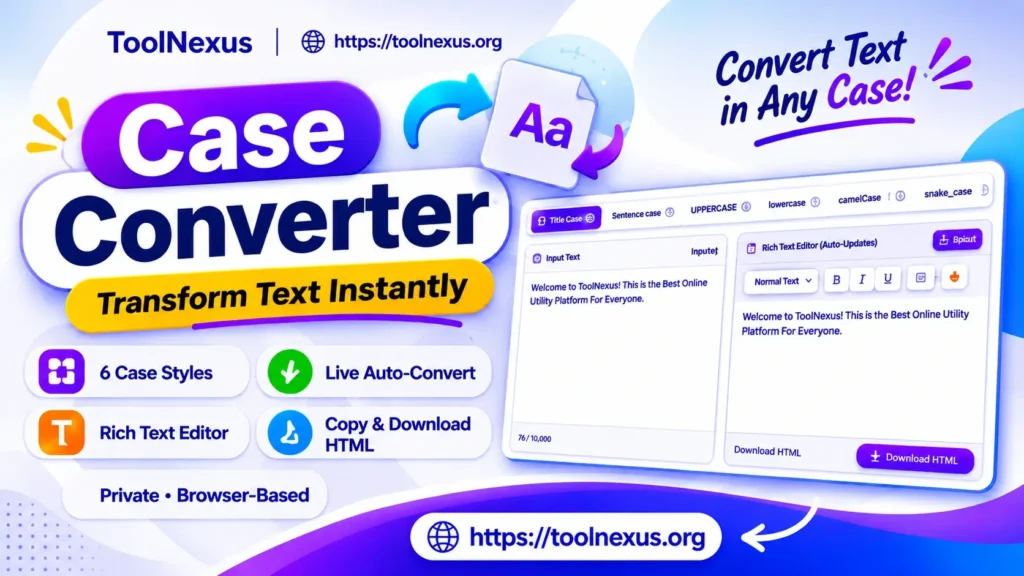
Case Converter – Change Text Case Online
Drop in your text, tap a style, and the new version appears at once. It all runs in your browser, and it is free.
Picture this. Your report title came out as “QUARTERLY SALES SUMMARY” and you wanted it in normal letters. Or you pasted a product name into your code and it needs to look like product_name. Fixing each letter with the keyboard would eat your afternoon.
This free case converter does that work for you. It offers six styles, shows the result as you type, and has a small editor so you can polish the text before taking it away. Read on to see what each style does, where it fits, and which small mistakes to watch for.
What Is a Case Converter?
Every letter you type is either a capital or a small letter. A case converter is a tool that flips those letters in bulk, following a pattern you choose. You give it a sentence, a paragraph or a list of names, and it returns the same words in a new letter style.
Styles for Readers and Styles for Computers
Four of the styles are made for human readers: UPPERCASE, lowercase, Sentence case and Title Case. You see them in emails, school work, posts and page headings.
The other two are made for machines. camelCase and snake_case glue several words into one name, because code usually cannot accept spaces inside a name. Having both groups on one page means a teacher, a shop owner and a programmer can all use the same tool.
How to Use the Case Converter
Four Quick Steps
- Click into the Input Text box on the left and type or paste your words.
- Choose a style from the tabs above the boxes.
- Watch the box on the right. It refreshes with every key press, so no extra button is needed.
- Press Copy when the result looks right.
To wipe both boxes and begin again, press Clear All.
Polish the Result in the Built-In Editor
The output box on the right is an editor, so you can click inside it and make changes. Pick a line and choose Heading 1, 2 or 3 from the list. Make words bold, italic or underlined. Switch a few lines into a bullet list. A clear-formatting button strips the styling from whatever you have selected, in case you change your mind.
Finished? Copy the styled text, or press Download HTML to get a file called formatted_text.html.
The Six Styles, With a Real Example
The sample phrase below is “order ready for pickup”.
| Style | What you get | Where it fits |
|---|---|---|
| UPPERCASE | ORDER READY FOR PICKUP | Warning notes, short tags, signs |
| lowercase | order ready for pickup | Plain text, email addresses, hashtags |
| Sentence case | Order ready for pickup | Body text, messages, simple headings |
| Title Case | Order Ready For Pickup | Article names, chapter names, slides |
| camelCase | orderReadyForPickup | JavaScript variables, JSON keys |
| snake_case | order_ready_for_pickup | Python code, database fields |
UPPERCASE and lowercase
UPPERCASE shouts. Every letter becomes a capital, which works for a sign on a door but becomes a chore to read once the text runs past a line or two. lowercase is the calm opposite. All letters turn small, giving you a neutral starting point that you can reshape later.
Sentence Case or Title Case?
Sentence case behaves like normal handwriting: a capital opens each sentence and the rest stays small. Title Case lifts the first letter of every single word, which gives the look you know from book covers and newspaper headlines.
Plenty of organizations now lean toward Sentence case in headings because the eye moves through it faster. Google’s own developer documentation style guide tells its writers to use sentence case for titles and headings.
camelCase
Here the spaces vanish, and every word after the first begins with a capital. The little humps in the middle of the word are where the name comes from. “monthly total price” turns into “monthlyTotalPrice”.
snake_case
Words stay in small letters and an underscore sits between them, like “monthly_total_price”. Python’s official style guide, PEP 8, recommends lowercase words joined by underscores for function and variable names. Database designers like the same pattern because each word stays easy to spot.
Key Features of the Case Converter
- Instant output. There is no waiting and no extra click. Each letter you type updates the result.
- Both worlds on one screen. Writing styles and coding styles are tabs in the same row, so switching takes one click.
- Edit without leaving. Add headings, emphasis or bullets inside the output box instead of opening a separate editor.
- A running character count. A counter below the input shows the size of your pasted text.
- Open to everyone. ToolNexus lets you use its tools for private projects and for work.
Which Style Should You Choose?
Rescuing Text Typed With Caps Lock On
Most of us have done it. A whole message goes in before you spot the glowing caps lock key. Paste the message into the tool and click Sentence case. The text turns back into normal writing in a blink.
Titles, Headings and Subject Lines
A formal article name, a chapter heading or a slide title suits Title Case. A friendly email subject or a casual heading suits Sentence case. The important part is to pick one and keep it across the whole page. A mix of both makes the page look unplanned.
Naming Things in Code and Data
Programming languages do not allow spaces inside names. So type your name as ordinary words, paste it in, and choose camelCase or snake_case. Copy the result into your file. You skip typos and save a few minutes each time.
Title Case Pitfalls You Should Know
Title Case has no single rulebook. AP, Chicago and APA all handle little words such as “and”, “of”, “the” and “in” in their own way. One guide keeps them small, another lifts them, and a third decides by word length.
This tool lifts the first letter of every word. It is fast, but it means you must look over the result and shrink the small words yourself if your guide wants them small.
Keep an eye out for these too:
- Brand spellings. Names such as iPhone or eBay use unusual capitals, and a converter can flatten them. Put them back by hand.
- Short forms. When you move to lowercase or Sentence case, a word like USA turns into usa, and PDF becomes Pdf. Restore these after converting.
- Names inside sentences. Sentence case shrinks everything except the sentence opener. A town or a person’s name in the middle loses its capital, so add it back during your review.
- Words with apostrophes. Check forms like “don’t” and “it’s” after Title Case, since a letter after the apostrophe may come out as a capital.
One careful read after converting costs under a minute and saves you from embarrassing slips.
Purpose Behind Creating This Tool
Fixing letter case looks like a tiny task, but it comes up constantly. Students redo their notes. People who run websites fix headings one word at a time. Coders rename items manually, line after line.
Our goal was a single page that handles the whole job: change the case, tidy the result and carry it off in seconds. That is why we added the editor. The work no longer ends the moment the letters change. You can finish everything on the same screen.
Related Tools
- JSON Validator and Formatter: Test a broken API response or a messy settings file and clean it up.
- JavaScript Minifier: Make JavaScript smaller, or turn squeezed code back into readable lines.
- CSS Minifier: Shrink or neatly lay out your stylesheet in one click.
- PDF to Word Converter: Change a PDF into an editable Word file, then bring the text here to adjust its case.
Frequently Asked Questions
Which is better for my project, camelCase or snake_case?
Look at the code you already have and match it. A project that mixes both is harder to read than a project that sticks to either one.
Does my text leave my device?
No. The change happens inside your browser, so your words stay with you.
How much text can I convert at once?
The limit is 10,000 characters per round. For anything longer, split it into parts and convert them one after another.
What happens to numbers and punctuation?
Numbers are kept in every style. Punctuation is kept too, except in snake_case, which removes it.
Can I use it for languages other than English?
UPPERCASE and lowercase handle most alphabets. The camelCase and snake_case styles were designed around English words and digits, so other scripts can give odd results. Read the output before you rely on it.
Do I need to register?
No. You do not sign up and you do not pay. Open the page and begin.
Can I use the output in work for clients?
Yes, personal and commercial use are both fine. Just make sure you have the right to use any text you paste in.