
By ToolNexus Team
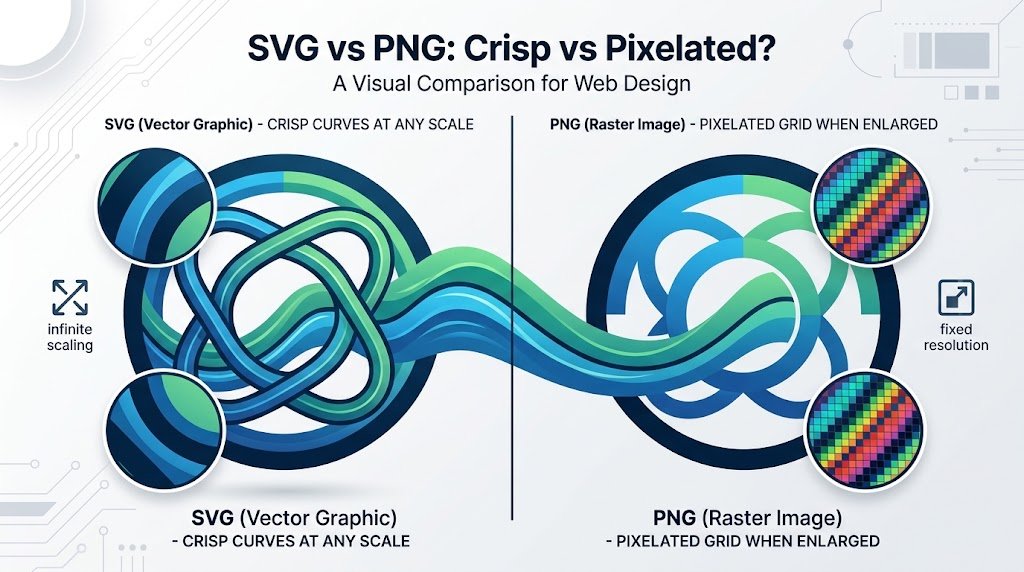
Blow a logo up to fill a billboard and one of these formats still looks perfect while the other turns into colored squares. The svg vs png difference is not about quality settings or compression. They are two completely different kinds of file. Once that clicks the decision becomes obvious every time.
Quick Answer at a Glance
SVG stores instructions for drawing a shape. PNG stores a grid of colored dots. Logos and icons want SVG. Photographs and anything with fine detail want PNG.
| Comparison | SVG | PNG |
|---|---|---|
| What it stores | Drawing instructions | A grid of pixels |
| Scaling | Perfect at any size | Blurs when enlarged |
| Photographs | Unsuitable | Fine |
| File size for a logo | Tiny, often a few KB | Larger, grows with dimensions |
| Editable text inside | Yes, still selectable | No, text becomes pixels |
| Support outside browsers | Patchy | Universal |
Vector and Raster, in Plain Words
Vector: a file that describes shapes mathematically, such as a circle of a given radius filled with a given color.Raster: a file that records the color of every individual pixel in a fixed grid.That single difference produces every other difference between the two. A vector redraws itself at whatever size you ask for, because the instructions do not care about size. A raster has a fixed number of pixels. Enlarging it means inventing pixels that were never recorded. That invention is what you see as blurring.SVG is a vector format. PNG, JPG, WEBP and GIF are all raster formats. The comparison is really vector against raster with two specific files standing in for each side.
Where SVG Wins Outright
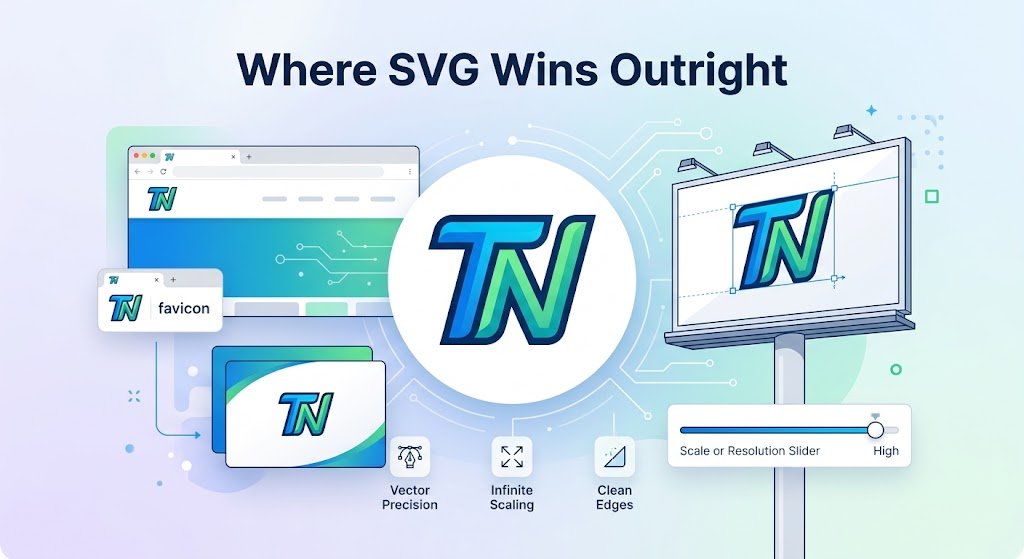
Logos. A single SVG serves your favicon, your website header, your email signature and a print banner without a second file existing anywhere.Icons follow the same logic. An icon set in SVG stays crisp on every screen density, including the high resolution displays where PNG icons look soft. And because the file describes shapes rather than pixels, a designer can recolor an SVG by editing one line rather than exporting a new image.File size for this kind of artwork is not close. A simple logo that runs 40 KB as a PNG is often under 3 KB as an SVG. The SVG version works at every size while the PNG works at exactly one.
Where PNG Wins Outright
Anything photographic. A vector cannot describe a photograph in any sensible way, since a photograph is millions of subtly different pixels rather than a set of shapes. Attempting it produces an enormous file that looks worse than the original.Screenshots fall on the PNG side too, for the same reason. So does any artwork with texture, gradients, shadows or hand drawn detail. If you cannot imagine tracing the image with a pen tool, it belongs in a raster format.
The Situation Where PNG Beats SVG for a Logo
Compatibility. This is the case people forget.Plenty of systems refuse SVG. Some print shops want a raster file at a set resolution. Many upload forms reject the extension outright. Email clients handle SVG inconsistently enough that most designers avoid it in signatures. Social platforms almost universally want PNG or JPG.So the working answer for a business is to keep the SVG as the master and export PNGs at the specific sizes different systems demand. One source file, several exports, no redrawing.
The Security Point Nobody Mentions
An SVG is a text file. It can contain scripts. That is why a number of platforms block SVG uploads from users. It is also why you should be careful about opening an SVG that arrived from a source you do not know.For files you created yourself this is a non-issue. It becomes relevant the moment you allow other people to upload SVG to a site you run, which is a genuine security consideration rather than a theoretical one.
How to Choose in One Question
Could someone redraw this with a pen tool in an afternoon?Yes, made of defined shapes and flat colors? SVG. No, because it is a photograph or something with texture and fine gradients? PNG. That question handles logos, icons, illustrations, charts, screenshots and photographs without any further thought.
A Real Case
A cafe had its logo as a 1200 pixel PNG. It looked fine on the website. On a printed A2 poster the edges were visibly soft. The sign maker asked for a vector file that nobody had kept. The original design existed only as that one export. Recreating the logo from scratch cost more than the original design had.The lesson is about the master file rather than the format. Keep the vector. Export rasters from it whenever a system demands one.
Working With PNG Versions
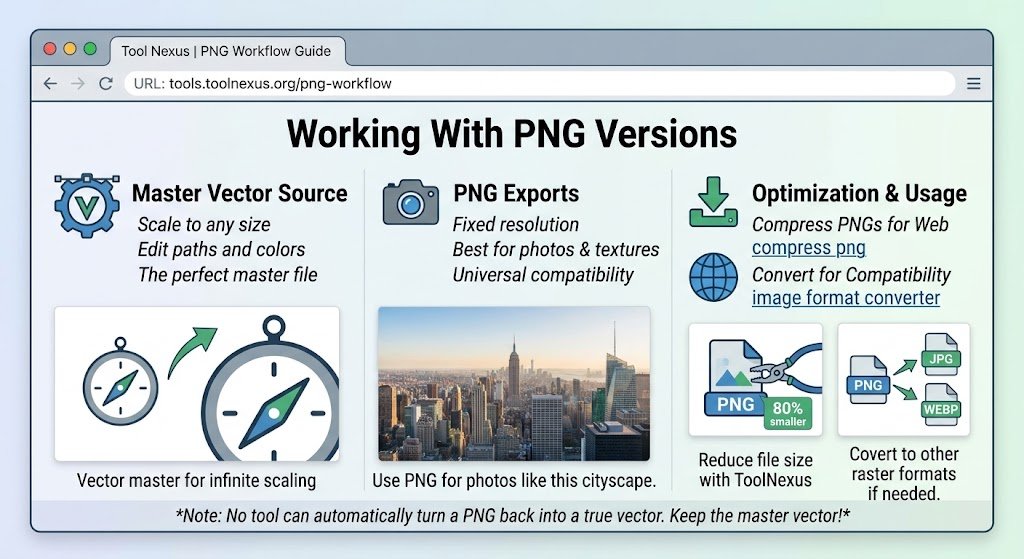
Once you have exported PNGs from your vector master, the ToolNexus tool that will compress png files brings them down to a sensible weight for a web page. To move a PNG into another raster format, the image format converter handles JPG, WEBP and BMP.One limitation worth stating plainly. The converter does not currently accept or produce SVG. Vector work needs design software. No browser tool on this site will turn a PNG into a true vector, because that conversion is a redrawing job rather than a format change.
Related Reading
Deciding between raster formats instead? webp vs png covers that pairing. The article best image format for web ranks every option for web use.
About the Author
The ToolNexus Team builds free browser based file tools. The site started with a small group of developers who thought professional grade utilities should not carry a professional grade price tag. It now runs ten tools covering images, PDFs, video and code.
FAQs About svg vs png
Is SVG the highest quality?
For shape based artwork it is effectively infinite quality, since the file redraws itself at whatever size you request. For photographs it is the worst possible choice, because a photograph has no shapes to describe. Quality is not a single scale here. The right question is whether the image is drawn or captured. That answer decides the format.
When not to use SVG?
Avoid it for photographs, screenshots and anything with texture or fine gradients. Avoid it where the destination refuses the format, which includes many print workflows, email clients and upload forms. And avoid accepting SVG uploads from strangers on a site you run, since the format can carry scripts inside it.
When should you use SVG files?
Logos, icons, illustrations, charts and any artwork built from defined shapes and flat colors. The signal is scaling. If the same image needs to appear as a 16 pixel favicon and on a printed banner, SVG does both from one file. Anything that only ever displays at one fixed size gains far less from it.
Is SVG better than PNG?
For drawn artwork, yes, on almost every measure that matters. Smaller files, perfect scaling, editable colors and selectable text. For photographs it is not merely worse, it is unusable. And PNG keeps a permanent advantage in compatibility, which is why most businesses keep the SVG as a master and export PNGs from it.
Do I use SVG or PNG for Cricut?
SVG. Cutting machines need path data, which is the set of lines the blade follows. Only a vector file contains it. A PNG gives the software a picture with no paths, forcing it to trace an approximation with results that are rarely clean. This is one of the clearest cases where the format choice is not a preference.
Is PNG a raster or vector?
Raster. PNG stores a fixed grid of pixels with a recorded color value for each one. That is why enlarging a PNG softens it, since the extra pixels have to be invented rather than read from the file. JPG, WEBP and GIF are raster too. SVG is the vector format among common web images.
Is a JPEG a raster or vector?
Raster, like PNG. The difference between JPEG and PNG is how they compress that pixel grid rather than what they store. JPEG discards data to stay small while PNG keeps everything. Neither can scale up cleanly, because neither holds any information about the shapes in the picture, only about the individual dots.
What program can open an SVG file?
Every web browser, which is the fastest route when you only need to look at it. Design software such as Illustrator, Inkscape, Figma and Affinity Designer opens them for editing. Because an SVG is really a text file, a code editor will also display its contents, which is occasionally useful when you need to change a color value by hand.
How can I open an SVG image?
Drag it onto a browser tab. It renders immediately with no software to install. It will scale smoothly as you zoom, which is a quick way to confirm you actually have a vector file. For editing rather than viewing you need a vector program, since a standard photo editor cannot work with paths.
How do I convert an SVG file to a JPEG?
Export it from vector software at the pixel dimensions you need, which is the correct method because you choose the resolution at export time. The reverse direction is the hard one. Turning a JPEG into a genuine SVG means tracing the image into paths, which software can approximate and rarely does well on anything detailed.
Keep the Vector
Drawn artwork belongs in SVG. Captured artwork belongs in PNG. Keep the vector master and export rasters from it whenever a system asks, because the export takes a minute and recreating a lost original takes a week. Compress those exports free with ToolNexus before they go on a page.
Comments (2)
2 totalNo comments yet. Be the first to share your thoughts!