
By ToolNexus Team
Learn how to download Facebook videos without any app in 2026…
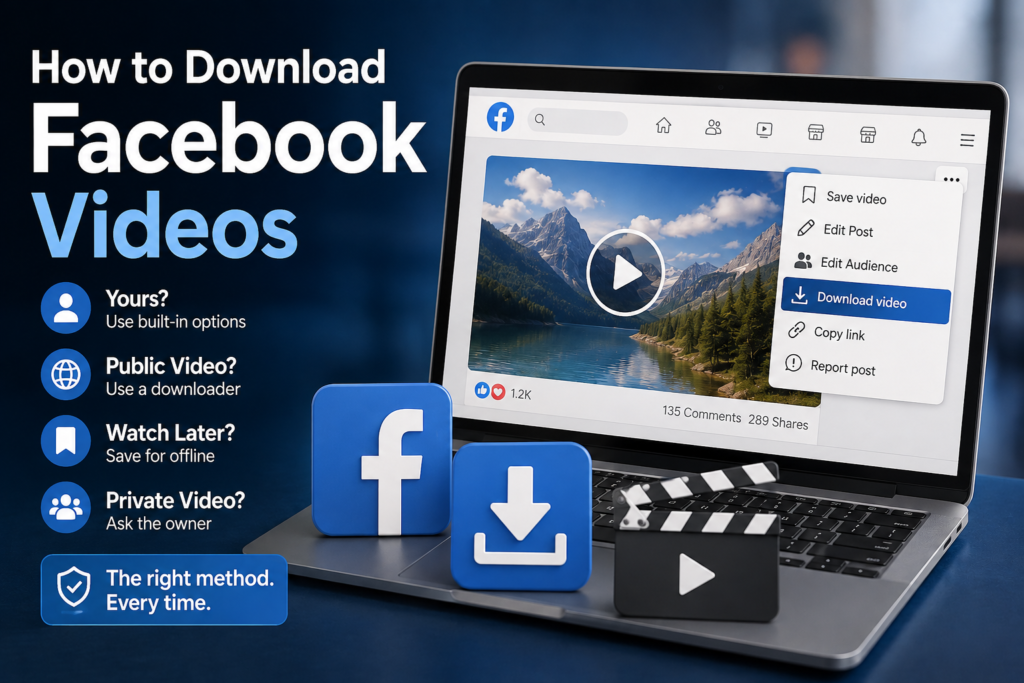
Most articles on how to download facebook videos jump straight to a third party tool. Sometimes that is the right answer. Often it is not, because Facebook has several built-in routes that people never find, including one that hands you every video you have ever uploaded in a single archive.
Quick Answer : How to Download Facebook Videos at a Glance
Start by asking whose video it is. That question decides which method you need.
| Whose video | Best method |
|---|---|
| Yours, one video | Open the post, use the three dot menu, choose download |
| Yours, all of them | Settings, Download Your Information, select Posts |
| Someone else’s, public | A link based downloader |
| You only want to watch it offline | Save the post, no download needed |
| Private or friends-only | Ask the person who posted it |
If you are learning how to download Facebook videos for the first time, always start with your own content.
Saving Your Own Videos From Facebook
If you posted it, Facebook will give it back to you. This is the route people miss most often.Open your own post on a desktop browser, click the three dots at the top right of the post and look for the download option. It appears on video you uploaded and it hands over the file directly. On mobile the same menu exists, though the wording moves around between app versions.This matters more than it sounds. Creators who lost their original footage often still have the upload sitting on a page from four years ago. This recovers it in about ten seconds.
Getting Every Video You Ever Posted
For a full archive rather than one clip, Facebook has an export tool.
- Open Settings and Privacy, then Settings, then Your Facebook Information.
- Choose Download Your Information and deselect everything except Posts.
- Set media quality to High, request the file, then wait for the email telling you it is ready.
The archive arrives as a zip containing your videos and photographs organized by date. It takes anywhere from minutes to a day depending on how much you have posted. For anyone winding down an account or backing up a business page, this is the only sensible route.This is the safest way for how to download Facebook videos you posted yourself.
Watching Offline Without Downloading Anything
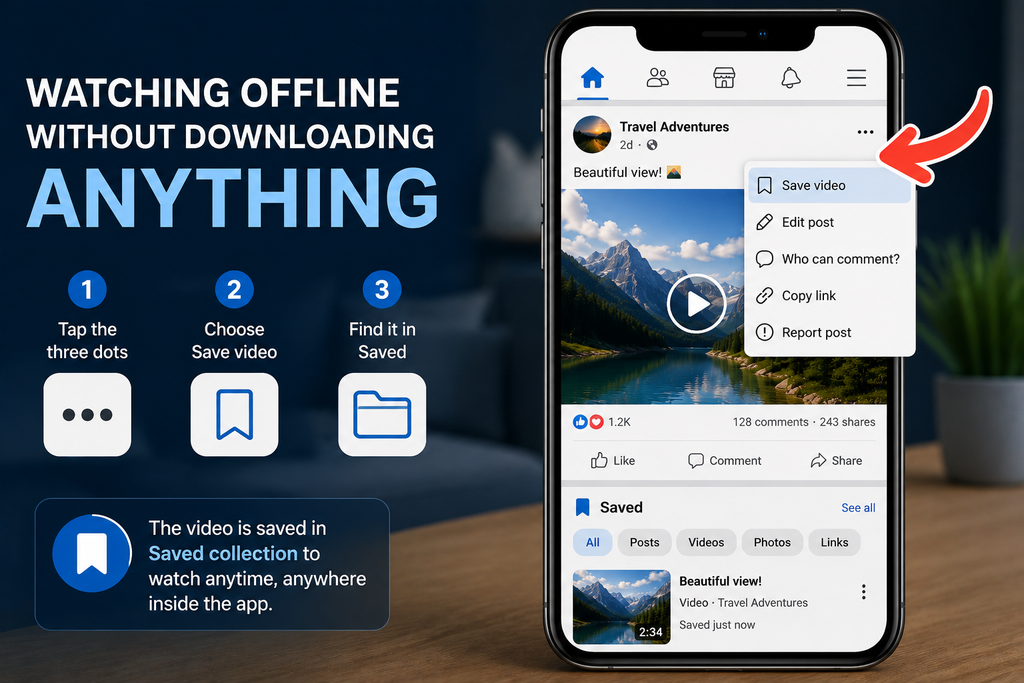
A lot of people searching for a download only want the video available on a plane or a train.Facebook’s save feature covers that. Tap the three dots on any post and choose Save video. It lands in your Saved collection inside the app and stays available while you have the app open. The catch is that it is a bookmark rather than a file. If the poster deletes the video it disappears from your saved list too, which is the difference between saving and downloading.
When You Genuinely Need a Downloader
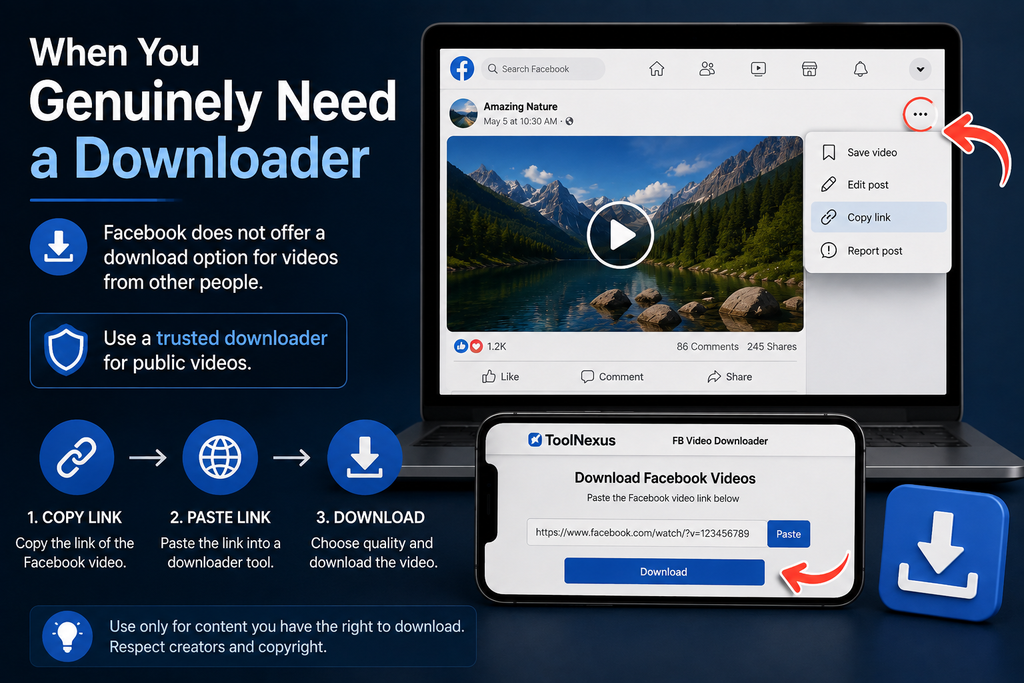
Facebook gives you no download button on other people’s video. That is deliberate.For a public clip you want as an actual file, a link based tool is the route. Paste the post address into the ToolNexus facebook video downloader and it returns an MP4. That page also covers what quality to expect and where the legal line sits, which matters more with other people’s content than with your own.
Reels and Short Clips
Reels behave like ordinary posts for saving purposes. Your own reels carry the same download option in the three dot menu. The Download Your Information archive includes them.Other people’s reels need the link route, same as any other public video. The one thing to watch is audio. Reels built on licensed music sometimes come back with the sound handled separately, which is a platform behavior rather than a fault in any particular tool.
What You Cannot Do
Private video from a friends-only post or a closed group has no legitimate download route. Anything promising otherwise is asking for your Facebook password, which is the point to close the tab.Live video can only be retrieved after the broadcast ends, since there is no complete file until then. And deleted video is gone. No tool recovers something Facebook no longer stores, whatever a page claims.
Final tip on how to download Facebook videos – always respect privacy and only save videos you are allowed to keep.
A Real Case
A bakery had been posting short recipe videos to its page for three years. The phone they were filmed on was long gone and none of the originals survived. Download Your Information returned every clip in one archive, at the quality Facebook had stored them, at no cost. Three years of content recovered in one evening.
Related Tools
Pulled a still frame out of a saved video? Crop it in the tool that lets you edit photo online, then run it through the tool that will compress jpeg files before posting.
About the Author
The ToolNexus Team builds free browser based file tools. The site started with a small group of developers who thought professional grade utilities should not carry a professional grade price tag. It now runs ten tools covering images, PDFs, video and code.
FAQs About how to download facebook videos
How can I download Facebook videos online?
Paste the post link into a browser based tool and download the file it returns. This works only for public video, since nothing can reach a private post without an account. Before doing that, check whether the video is yours. Your own uploads have a download option built into Facebook and no third party needs to touch them.
How do you download a video from Facebook that is not yours?
A link based downloader handles it when the post is public. The more useful question is what happens next. Keeping a copy for personal viewing sits in very different territory from reposting it or building content around it. Ask the creator if you plan to use it for anything, since most people say yes when they are credited.
Can I download my old Facebook videos?
Yes. The archive route is better than doing it one at a time. Download Your Information under Settings hands over everything you uploaded organized by date, at the quality Facebook stored. For anyone who lost their original footage, this recovers years of material in a single request at no cost.
Does saving a Facebook video download it?
No. The save feature bookmarks the post inside the app so you can find it again. No file reaches your device and the entry vanishes if the poster deletes the video. It suits reading later. It does not suit keeping something permanently, which needs an actual download.
Why can’t I download a Facebook video on my phone?
The app deliberately offers no download button for other people’s content. On your own posts the option moves around between versions. Using a mobile browser rather than the app often exposes the menu the app hides. For public video from someone else, a link based tool works the same on a phone as on a desktop.
Start With Whose Video It Is
Yours means Facebook will hand it over, either one clip at a time or as a full archive. Someone else’s public video means a link based tool. Private video means asking the person who posted it. Work out which you have and the method picks itself.
Comments (0)
0 totalNo comments yet. Be the first to share your thoughts!