
By ToolNexus Team
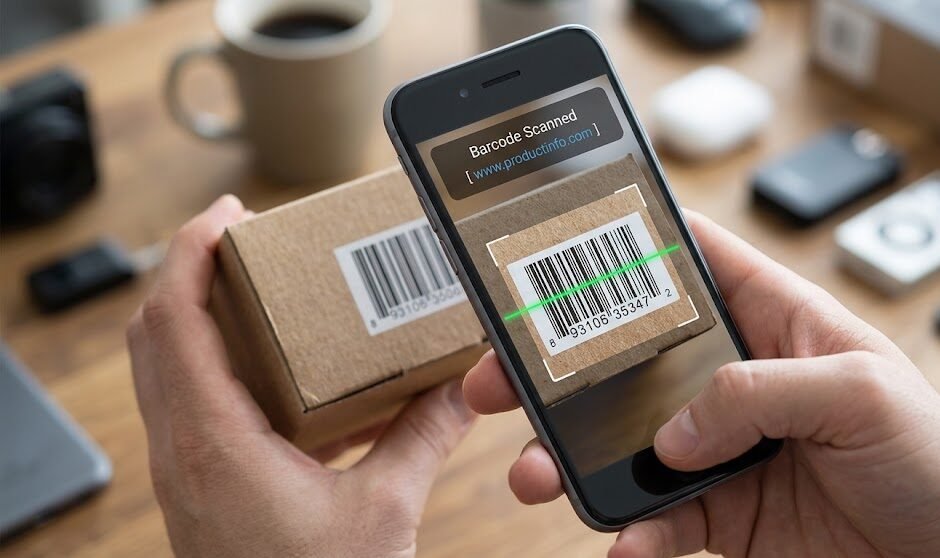
Your phone already does this. Working out how to scan a barcode with phone hardware takes about ten seconds and no download, because the camera app on every current iPhone and Android handles it natively. The confusion comes from app stores full of scanners nobody needs.
Quick Answer at a Glance
| Question | Short answer |
|---|---|
| App needed | No. The camera app already does it |
| Works on | iPhone and Android, current versions |
| What you get | The number, plus a search option on most phones |
| From a photo instead | Upload it to a browser based reader |
| Common failure | Blur, glare or a curved label |
The Three Step Method
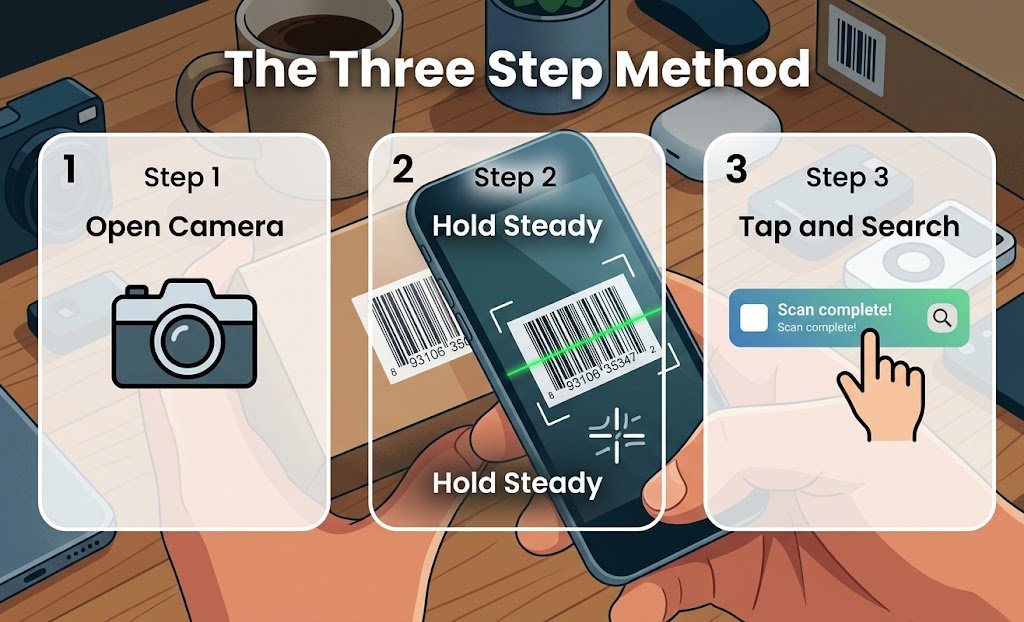
- Open your normal camera app. Not a scanner app, the standard one.
- Hold the phone steady so the barcode fills roughly half the frame, straight on rather than at an angle.
- Wait for the notification or banner to appear, then tap it.
Most phones then offer a web search for the number, which is what turns a scan into a price comparison. Some show only the digits, in which case searching the number yourself does the same job.
If Your Camera Does Not Do It
Two settings account for nearly every case.
On iPhone, open Settings then Camera and confirm Scan QR Codes is switched on. That setting governs barcodes too despite its name. On Android, the behavior lives in either the camera app or in Google Lens depending on the manufacturer. The lens icon inside the camera app is usually the fastest route.
Older phones may genuinely lack the feature, which is the one situation where a scanner app is worth installing.
Why the Scan Fails
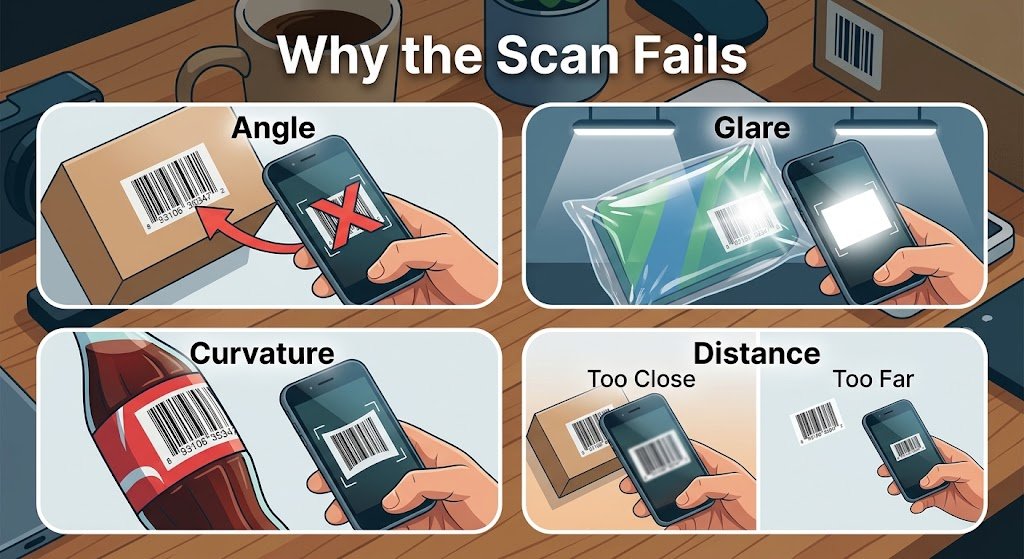
Barcodes are less forgiving than QR codes. They have no error correction. Anything that distorts the bar widths defeats the reader entirely.
- Angle. A barcode needs a straight-on view. Tilt the phone and the widths distort.
- Glare. Plastic packaging under a shop light reflects straight into the lens.
- Curvature. A label wrapped around a bottle or a tin bends the pattern.
- Distance. Too close and the camera cannot focus. Too far and the bars merge.
The fix for glare is moving rather than adjusting anything. Tilt the item a few degrees so the reflection falls elsewhere, keeping the camera square to the label.
Scanning From a Picture
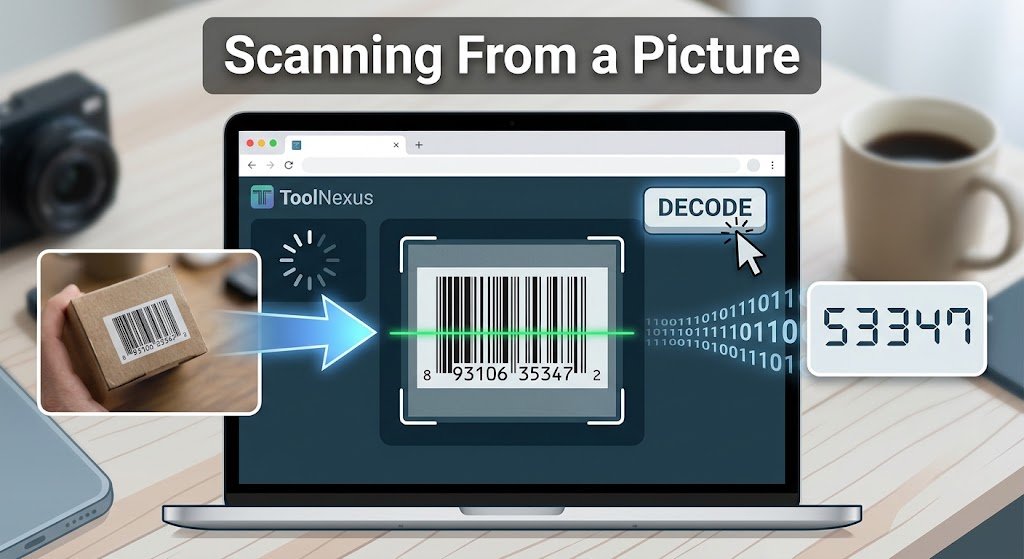
Sometimes there is nothing to point a camera at. Somebody sent you a photograph of a label. Or the code sits inside a PDF on your screen.Upload the image to the ToolNexus tool that can scan qr code from image, switch it to barcode mode and the number is decoded from the file. This also solves the glare problem entirely, since a screenshot has no reflection.
What the Number Means
A scan returns digits rather than a product name, which disappoints people expecting more. The standard Barcode number identifies the product in a database rather than describing it.The number identifies the product in a database rather than describing it. A name only appears if your phone looks it up. Searching the digits usually finds the item. The full explanation of what is stored and why is in what is a barcode.
A Note on Codes in the Wild
A barcode returns a number and can send you nowhere, which makes it harmless. A QR code is different. If the label carries one of those instead, the checks in are qr codes safe are worth two seconds of your time.
About the Author
The ToolNexus Team builds free browser based file tools. The site started with a small group of developers who thought professional grade utilities should not carry a professional grade price tag. It now runs ten tools covering images, PDFs, video and code.
FAQs About how to scan a barcode with phone
Can I scan a barcode with my camera?
Yes, on any current phone. The standard camera app recognizes barcodes and QR codes without a separate scanner installed. Hold the phone square to the label rather than at an angle, since barcodes carry no error correction and a tilted view distorts the bar widths enough to defeat the reader.
Can I scan barcodes using my phone?
Every current iPhone and Android does it natively. The feature is built into the camera rather than into a separate app, which is why the app stores full of scanners are mostly unnecessary. Older handsets sometimes lack it. That is the one case where installing something is genuinely the answer.
Can I scan a QR code using my phone’s camera app?
Yes. It is the same feature that reads barcodes. On iPhone the setting is called Scan QR Codes and covers both. On Android it is either built into the camera or accessed through the lens icon. QR codes are easier to scan than barcodes, since they read at any rotation and survive partial damage.
Can I scan a barcode on my phone with my phone?
Not directly, since a camera cannot photograph its own screen. Take a screenshot of the code instead, then upload that image to a browser based reader which decodes it from the file. This comes up more often than expected with codes arriving in emails, PDFs and messages.
Open the Camera First
Before installing anything, point your normal camera app at the code and hold it straight. That handles almost every case. For a code in a photograph or on your own screen, upload it to ToolNexus and read the number free.
Comments (1)
1 totalNo comments yet. Be the first to share your thoughts!